
After approval the app gains a bottom bar with five sections — your main navigation as an organizer:
| Section | What it contains |
|---|
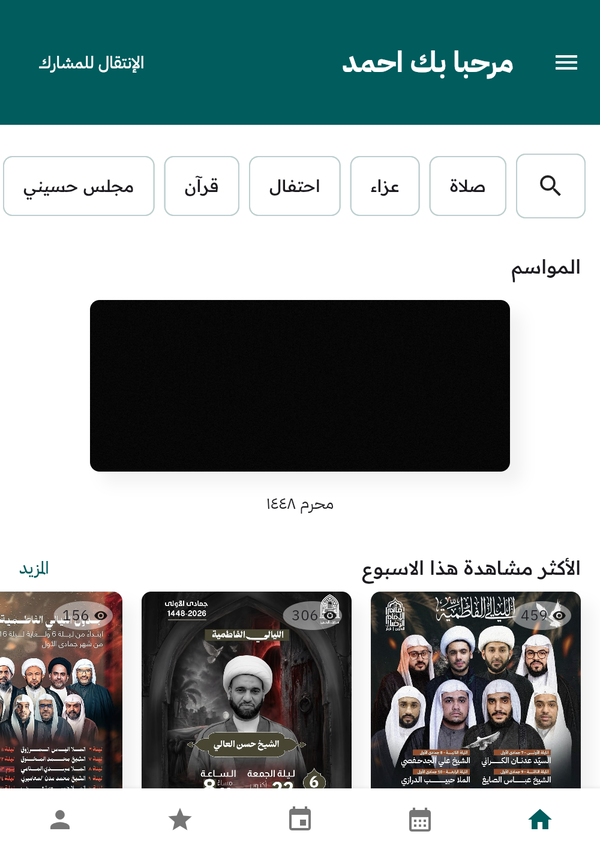
Organizer home — note the five-tab bottom bar and the Switch to Participant button
| Home | The event discovery screen: seasons, quick search, most viewed and nearby — what the community sees. | | Hijri Calendar | The Hijri calendar with religious occasions; create an event straight from any occasion. | | My Events | All your events split into Not Published and Published, plus the + button to create a new event. | | My Following | Events from organizers and participants you follow, and the events you saved. | | Profile | Your public organizer page and the tools to edit it, including your QR poster. |
If your account also has a participant membership or admin capability, the top of the Home screen shows the Go to Participant / admin switch button to change your working view.
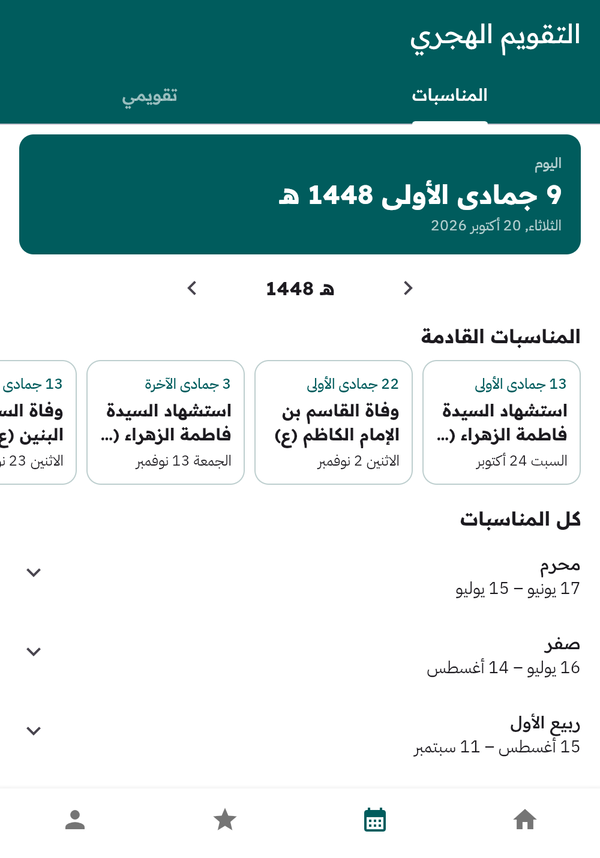
The Hijri calendar: upcoming occasions and lunar months