
Ehyaa (ehyaa-platform.org) is the meeting place for religious events. It gathers the activities, councils and processions of Ahl al-Bayt (peace be upon them) in one place: organizers — mosques, husseiniyas, centers and councils — publish their programs, from weekly councils and Ramadan and Muharram gatherings to prayers, Quran circles, lectures, competitions and courses; reciters, speakers and performers appear in those programs under their own profiles; and the community discovers, follows and attends it all.
What you will find
Section titled “What you will find”- Events around you: see what is happening tonight, this week and this season.
- A personal calendar with reminders: save events and get reminders a day and an hour before.
- Following: follow the venues and people you love and their events reach you first.
- A clear program: every event shows its activities and participants.
- The Hijri calendar: religious occasions, seasons and events in one view.
- Easy sharing: every event has a link to send to family and groups.
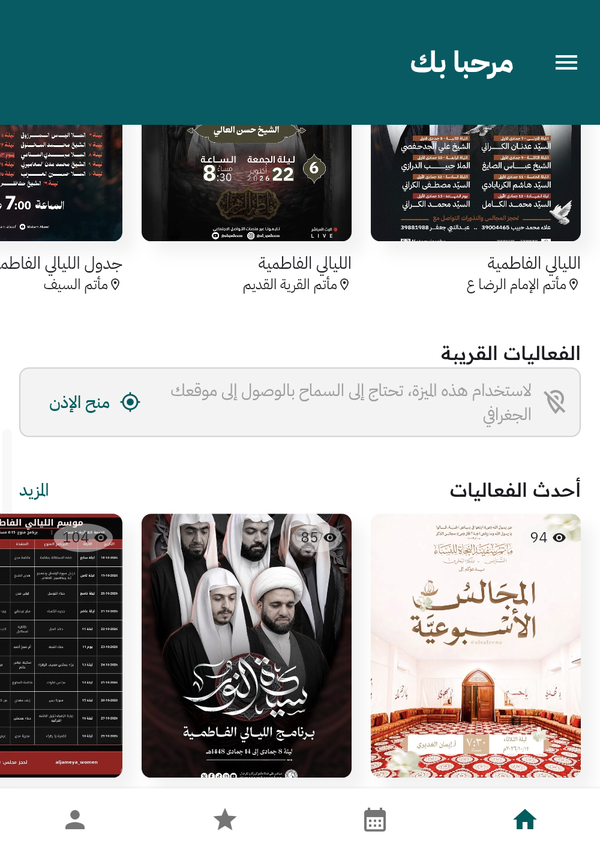
Home screen: quick search, seasons, most-viewed and nearby events
Which guide is for you?
Section titled “Which guide is for you?”| You are | Your guide |
|---|---|
| A user who wants to discover and attend events | User guide |
| A religious venue that wants to publish events | Organizer guide |
| A reciter, speaker or performer appearing in programs | Participant guide |
The platform is available in Arabic and English — switch anytime from the side menu with Change Language.
Your journey at a glance
Section titled “Your journey at a glance”| Stage | What happens | Where |
|---|---|---|
| 1. Sign up | Create a regular Ehyaa account with your email. | Login screen — Create Account |
| 2. Apply | Submit the organizer membership request with your venue details. | Applying for organizer membership |
| 3. Verify | Confirm your phone number with a 4-digit code sent via WhatsApp. | The code verification screen |
| 4. Review | The Ehyaa team reviews your request; you get a text when it is done. | Automatic |
| 5. Set up | Add your photo, description, social links and stream URL to your page. | The Profile tab |
| 6. Create | Create your events and prepare their activities. | The My Events tab |
| 7. Publish | Publish the event for the whole community. | The Publish Event button |